Digital Comp Card vs Printed: Why Most Models Now Use a Link


A comp card used to be a stack of printed sheets in a bag. For most people starting out today, it is a link. You put it in an email, in a bio or on a business card as a QR code, and whoever opens it sees your photos, your measurements and a way to reach you.
This guide explains what a digital comp card is, how it compares with a printed one, and what to look for in one. If you are new to the idea of a comp card, read what is a comp card first.

What a digital comp card is
A digital comp card is the same one-page summary a printed card gives, held on a web page instead of paper. It has a few photos, your name, your measurements and your contact details, laid out so that it reads quickly on a phone.
It is not a full website and it is not a social profile. It is a single, tidy page whose only job is to make it easy for a booker to see your look and take the next step. Because it is a page, it can do a few things paper cannot: it can be updated, it can be shared with one click, and it can tell you how often it has been opened.
Digital vs printed: the differences that matter
Here is how the two compare in the situations models actually meet.
- Updating. A digital card can be changed in a minute and everyone with the link sees the change. A printed card is out of date as soon as your hair, weight or portfolio changes, and the old copies are still out there.
- Sharing. A link goes into an email or a message instantly. A printed card has to be handed over in person or posted.
- Cost. A digital card costs nothing to send to one person or a hundred. Printing costs money every time, and you have to guess how many you need.
- Reach. A digital card can be opened anywhere, at any hour. A printed card only works when you are there with the cards in your hand.
- Format. A digital card adapts to a phone or a large screen. A printed card has one size, and a wrong guess is wasted.
- Feel. Paper is nicer to hold, and some people still prefer it at a casting. That is a real advantage, but a small one.
Why a digital comp card wins for most models
For most people, the practical advantages decide it.
It is always current. Agencies and clients are looking at the version you want them to see, not the one you printed last spring. If you shoot a better photo tomorrow, it can be on the card tomorrow.
It is easy to send. The moment someone says they would like to see your work, you can answer with a link. There is no delay for printing and no postage.
It fits where people already look. Bookers read email and messages on their phones all day. A link meets them there. A PDF attachment is slower to open and easy to lose.
It gives you feedback. A good digital card shows how many times it has been opened, which is a quick check on whether your submissions are being read. On FYND you can see views per day, split by link and by QR code, and it never records who looked.
When a printed card still makes sense
A printed card still has a place. At a casting or an open call, handing someone a card is a natural, friendly gesture, and the card sits in their bag when the day is over. Some clients like to pin cards to a board while they decide. And a printed card works for a person who has just run out of battery.
The best answer is not either or. Keep a digital card as the main version, and save it as a PDF so you can print a few when you need them. FYND saves every design as a clean A4 PDF with your photos, details and QR code, so a printed copy always matches the digital one.
What a good digital comp card needs
Not every digital card is equal. When you choose a service or build your own, check for these:
- It loads fast on a phone. A booker who waits ten seconds closes it. Photos should be sized for the screen.
- The numbers are easy to find. Measurements and contact details should not be hidden behind a menu.
- There is no login for the viewer. Agencies will not create an account just to look at you.
- It is simple. A card with an auto-playing video, music and animation is harder to read, not easier.
- You control it. You decide when it goes live and when it comes down.
- A stable link. If you change the design, the link must stay the same. Otherwise every copy you have sent breaks.
You can look at examples of seven different layouts on the designs page, or open a finished one such as the Editorial comp card.
Privacy and safety
A card is personal information, and it deserves care. A few principles are worth looking for.
- Private until you publish. Your card should not be public while you are still building it.
- No date of birth. It is not needed on the page. FYND checks it to confirm you are 18 or older and never shows it.
- Your email stays private. On FYND, agencies write to you through the platform and never see your address. You can block or report any of them.
- You choose who can find you. Sharing a link is one thing. Being searchable by agencies should be a separate choice that you can turn off.
- You can delete it. You should be able to download your data or delete your account whenever you like.
How to make a digital comp card for free
You can build a digital comp card in a design tool and host it yourself, or use a service made for it. Using a service is quicker, and a free one removes the cost.
On FYND it takes a few minutes:
- Create an account. You need to be 18 or older.
- Add photos and your details.
- Pick a design from the seven available. You can change it at any time, and your link and QR code stay the same.
- Publish, then share the link, print the QR code or save the PDF.
If you want a longer walk-through of the choices, read how to make a comp card. When you are ready, create your free digital comp card.
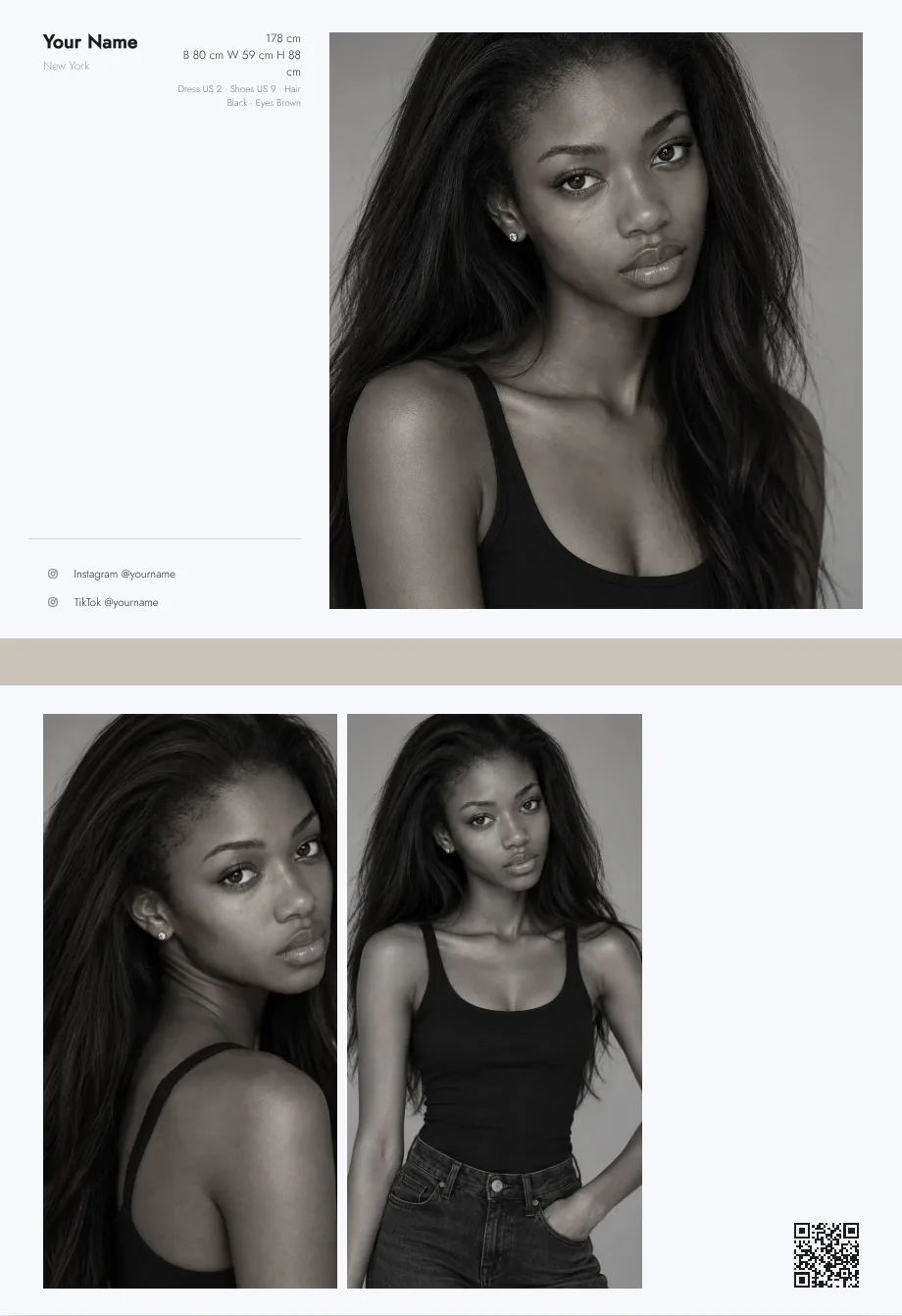
A digital comp card gives you everything a printed card does, plus updates, easy sharing and a link that works everywhere. Keep it simple, keep it current and keep control of who can find it, then save a PDF for the moments when paper is wanted. When you are ready, create your free digital comp card.
To see everything FYND offers talent, visit the talent features page.
Frequently asked questions
Do agencies accept a digital comp card?
Yes. Most agencies are happy with a link, and many prefer it. A comp card is rarely the first thing an agency asks for, though. Many want simple digital photos first, so check the submission page of each agency.
Can I send a link instead of a PDF?
Usually, yes. A link is quicker to open and always current. If an agency asks for a file, save the card as a PDF and attach it.
Are digital comp cards free?
Some are, and some charge a monthly fee. A comp card on FYND is free for talent, and FYND does not charge talent to be seen.
Can I see how many people looked at my card?
On FYND you can see how many times your card was opened each day, and whether people came from the link or from a QR code. It does not show who looked.
What if I do not have a website?
You do not need one. A digital comp card is a single page with its own link, so you can share it without building a site.